Most stands have a screen of some kind, yet the screen that stops a visitor in the aisle is not always the biggest or the brightest one. Choosing exhibition screens is really a question about what you want the screen to do, whether that is showing your brand from across the hall, helping visitors find the right product or collecting contact details from people who would otherwise walk past. This guide compares the main options for event screens, explains how to choose between them, and shows how one interactive screen worked on a marine exhibition stand.
What are exhibition screens used for?
A screen on a stand usually has one of three jobs, and it helps to decide which matters most before you compare hardware.
The first is attracting attention from a distance, which suits bright, moving content that can be read from the aisle. The second is explaining something, such as a product range or a service, to a visitor who has already stopped. The third is capturing details, so that a conversation or a visit turns into a lead your team can follow up after the show. Many stands ask one screen to do all three, which is where the choice of screen starts to matter.
Event screens compared
The main options for event screens differ less in how they look than in how much they ask of the visitor.
Option | How visitors use it | Best for |
TV or screen running digital signage for events | Watch campaign content and live screens, or use their own phone for a mobile-led interaction | Catching attention and sharing a message |
Portrait freestanding kiosk | Touch the screen for information and light gestures | Standing out in a large hall, with a taller display that is easier to see over a crowd |
Landscape freestanding kiosk | Touch the screen at a more convenient height for heavier use | Games and fast gestures that need more room to play |
Desk touchscreen | Interact at a table with optional light gestures | A lightweight option for a smaller stand or a one-to-one conversation |
Tablet | Tap and swipe on a portable device | A simple, portable setup at a table, with heavier interactivity |
Large LED screens for events can be hired for the duration of a show, which suits a big video wall behind the stand. The rest of this guide is about what the screen does once it is there, because a screen that only plays video cannot collect anything from the visitor.
How to choose exhibition screens for your stand
A few questions usually settle the choice faster than comparing specifications.
What is the screen for, attracting attention, explaining a product or capturing leads?
How many people need to use it at once, since a desk touchscreen suits one or two visitors while a landscape kiosk lets onlookers watch someone else play?
Can it be seen from the aisle, and is there room for visitors to stop without blocking the walkway?
Will it keep working if the venue connection drops? Merlin Cloud kiosks continue to run offline and sync their data once the connection returns.
Can the content be reused after the show, so the work does not end when the stand comes down?
Answering these before you brief the artwork or book hardware tends to make the rest of the decision straightforward.
When interactive screens for events are worth it
Interactive screens for events earn their place when you want visitors to do something, not just look. A game gives a passer-by a reason to stop, a quiz can show you what a visitor is interested in before they leave their details, and a product discovery experience helps them find what suits them without waiting for a member of your team. Merlin Cloud's games and competitions cover the game formats, and the same thinking applies to a quiz or brand challenge or a product discovery experience.
If your goal is simply to be seen, a screen running campaign content may be enough. If your goal is leads, a screen that responds to the visitor is the stronger choice, and the two can sit side by side on the same stand. The difference between digital signage and interactive kiosk campaigns is covered in an earlier post if you want the comparison in full.
An interactive screen at Seawork Expo
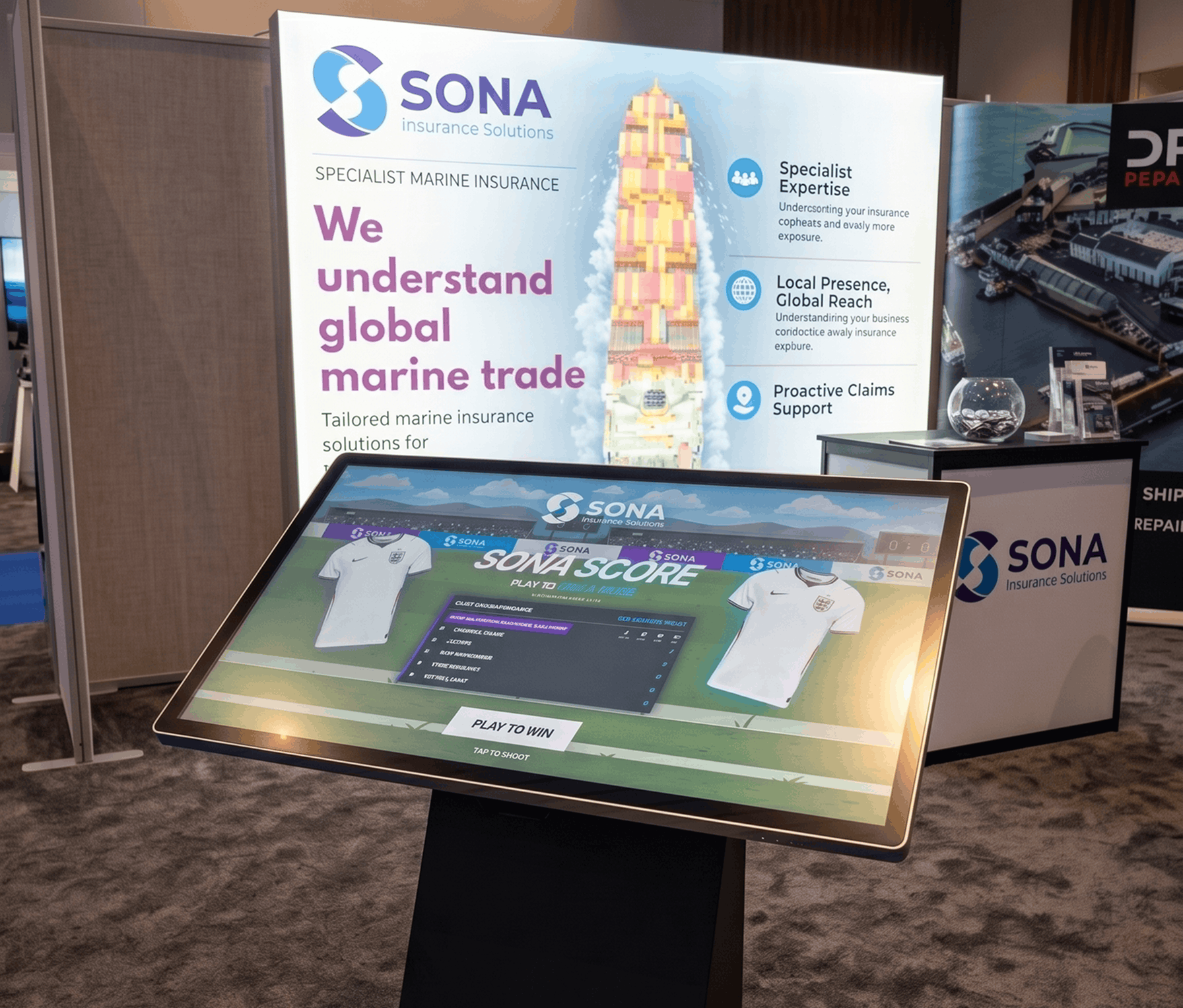
Sona Insurance exhibited at Seawork Expo in Southampton in summer 2026 using a landscape freestanding kiosk, chosen because a game needs room for fast gestures. The kiosk ran a World Cup-inspired penalty shootout, and visitors played for a place on a live leaderboard. Entering a prize draw, with an England shirt as the daily prize, was how their contact details were collected.
Over two days the stand captured 163 qualified leads and secured one major new marine client. The full write-up is on the Sona Insurance case study.
Measuring what your stand screen does
A screen on a stand is easier to justify when you can see what it did. Kiosk Zones combine footfall around the device with engagement data, so you can see how many people passed, paused and interacted, and which content led to action.
A smart QR code on the screen can also hand the experience to a visitor's phone, which is useful when the stand is busy and several people want to take part at once.
If you are choosing exhibition screens for an upcoming show, the team at Merlin Cloud is happy to talk through the options and what each would do for your stand. Most deployments start from a Merlin Cloud template, tailored to your brand, so the conversation usually begins with your goals and the show rather than a blank page. Get in touch to start that conversation.
Related reading
See how interactive kiosks work, how campaign management runs content across devices, or read the Sona Insurance case study.